
Introduction
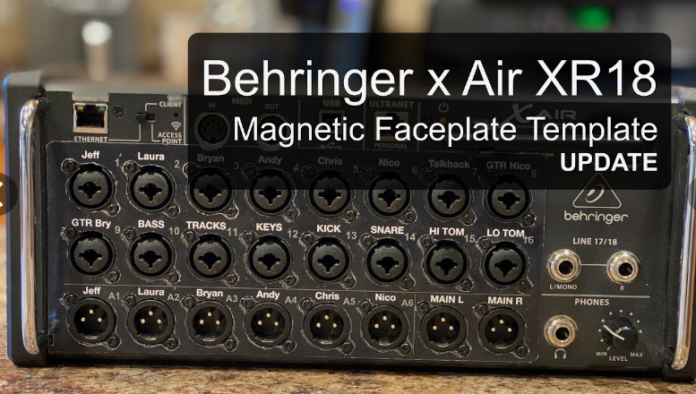
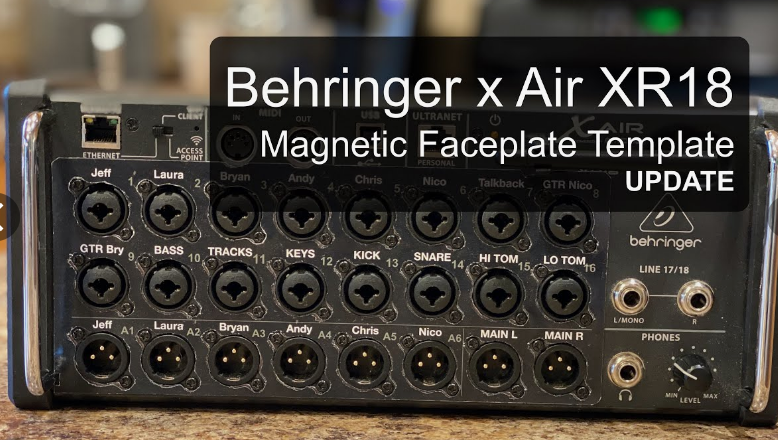
Behringer’s XR16 and XR18 digital mixers are popular choices for musicians, live sound engineers, and studio professionals. However, one challenge users often face is securely mounting these devices in a standard rack setup. If you’re looking for an affordable, customizable, and practical solution, 3D printing a Behringer rack ear for the XR16/XR18 is an excellent option. This guide will walk you through the benefits, materials, design considerations, and best practices for creating a custom rack ear mount using 3D printing technology.
Why 3D Print a Behringer Rack Ear?
1. Cost-Effective Alternative
Official rack ears for the Behringer XR16 and XR18 can be expensive or difficult to find. 3D printing your own rack ears allows you to create a customized solution at a fraction of the cost.
2. Options for Customization
Customizing the design to your particular needs by means of 3D printing allows you to account for thickness, material strength, and other mounting details.
3. Simple, Fast Replacement
3D printing provides a quick replacement solution should an existing rack ear break or be misplaced, therefore saving the need to order and wait for delivery.
4. Robust and Long Lasting
Holding your XR16/XR18 securely in a rack configuration, a 3D-printed rack ear can be robust and dependable with the correct polymer choice and print settings.
Choosing the Right Material for 3D Printing Rack Ears
The choice of filament plays a crucial role in the strength and durability of your Behringer XR16/XR18 rack ears.
1. PLA (Polylactic Acid)
- Pros: Easy to print, budget-friendly
- Cons: Brittle, less heat-resistant
- Best for: Prototyping or light-duty applications
2. PETG (Polyethylene Terephthalate Glycol)
- Pros: Stronger than PLA, impact-resistant, slightly flexible
- Cons: Requires higher printing temperatures
- Best for: Moderate stress applications and outdoor use
3. ABS (Acrylonitrile Butadiene Styrene)
- Pros: Durable, heat-resistant
- Cons: Prone to warping, requires an enclosed printer
- Best for: High-strength applications
4. Nylon
- Pros: High durability, flexible under stress
- Cons: Difficult to print, absorbs moisture
- Best for: Heavy-duty mounting applications
How to Design and 3D Print a Behringer XR16/XR18 Rack Ear
1. Finding or Creating a 3D Model
Downloading a Pre-Made Model
Many 3D model repositories offer free and premium STL files for rack ears. Some top sources include:
- Thingiverse
- Cults3D
- MyMiniFactory
Designing a Custom Rack Ear
If you need a custom fit or extra features, designing your own model is the best option. Recommended 3D modeling software includes:
- Tinkercad (Beginner-friendly, easy to use)
- Fusion 360 (Advanced parametric design)
- Blender (For more complex modeling needs)
2. Design Optimizing for 3D Printing
- Use these best guidelines to guarantee fit and durability:
- Wall thickness for additional strength: 3–5mm
- Density of Infill: 50% or more for longevity
- Adjust mounting holes for rack bolts and screws.
- Fillet edges help to lower stress areas hence preventing cracking.
3. Printing Settings for Best Results
- Layer Height: 0.1-0.2mm for precision
- Print Speed: 40-60mm/s for accuracy
- Support Structures: Enable for overhangs
- Bed Temperature:
- PLA: 60°C
- PETG: 70°C
- ABS: 100°C
Post-Processing and Installation
1. Smoothing and Strengthening
- Use sanding or acetone smoothing (for ABS) to improve finish
- Apply epoxy resin or clear coat for additional strength
2. Installing the 3D-Printed Rack Ears
- Align the rack ears with the XR16/XR18 mounting holes
- Secure using rack screws or reinforced bolts
- Ensure even weight distribution for stability
Common Issues and How to Fix Them
1. Warping During Print
- Use an enclosed printer for ABS
- Adjust bed adhesion settings (brim, raft, or glue stick)
2. Weak or Brittle Parts
- Increase wall thickness and infill density
- Choose a stronger filament like PETG or ABS
3. Improper Fit
- Measure and scale the STL file before printing
- Test fit and make adjustments in CAD software
READ MORE – ATAK 3D Print: The Ultimate Guide to Tactical 3D Printing
FAQs:
1. Can I 3D print a rack ear for the Behringer XR16/XR18?
Yes! Using the right filament and design parameters, a 3D-printed rack ear can securely mount your XR16/XR18.
2. What is the best material for 3D printing rack ears?
PETG or ABS are the best choices due to their strength, impact resistance, and heat tolerance.
3. Where can I find STL files for Behringer rack ears?
Websites like Thingiverse, MyMiniFactory, and Cults3D offer free and paid 3D printable rack ear designs.
4. How can I reinforce a 3D-printed rack ear?
- Use a high infill percentage (50% or more)
- Print with stronger filaments like ABS or PETG
- Apply a resin coating for added strength
5. Is 3D printing a good alternative to buying Behringer rack ears?
Yes! It is cost-effective, customizable, and convenient, especially when official parts are unavailable or expensive.
Conclusion
3D printing a Behringer XR16/XR18 rack ear is a practical and cost-effective solution for securely mounting your mixer. With the right materials, print settings, and installation techniques, you can create a strong, durable, and customized rack ear suited to your needs. Whether you download a pre-made model or design your own, this guide provides all the insights needed to succeed in 3D printing your rack ears.